Da Nang Smart Tourism
An AI-assisted travel platform for Da Nang — a web dashboard for administrators and a mobile app for visitors, built end to end.
- Role
- Lead engineer — end to end
- Surfaces
- Web admin dashboard · Mobile app · APIs & AI services
- Stack
- React · TypeScript · Ant Design · React Native · Mapbox · Node.js · Express · FastAPI · OpenAI API · FAISS
At a glance
01
Web admin dashboard
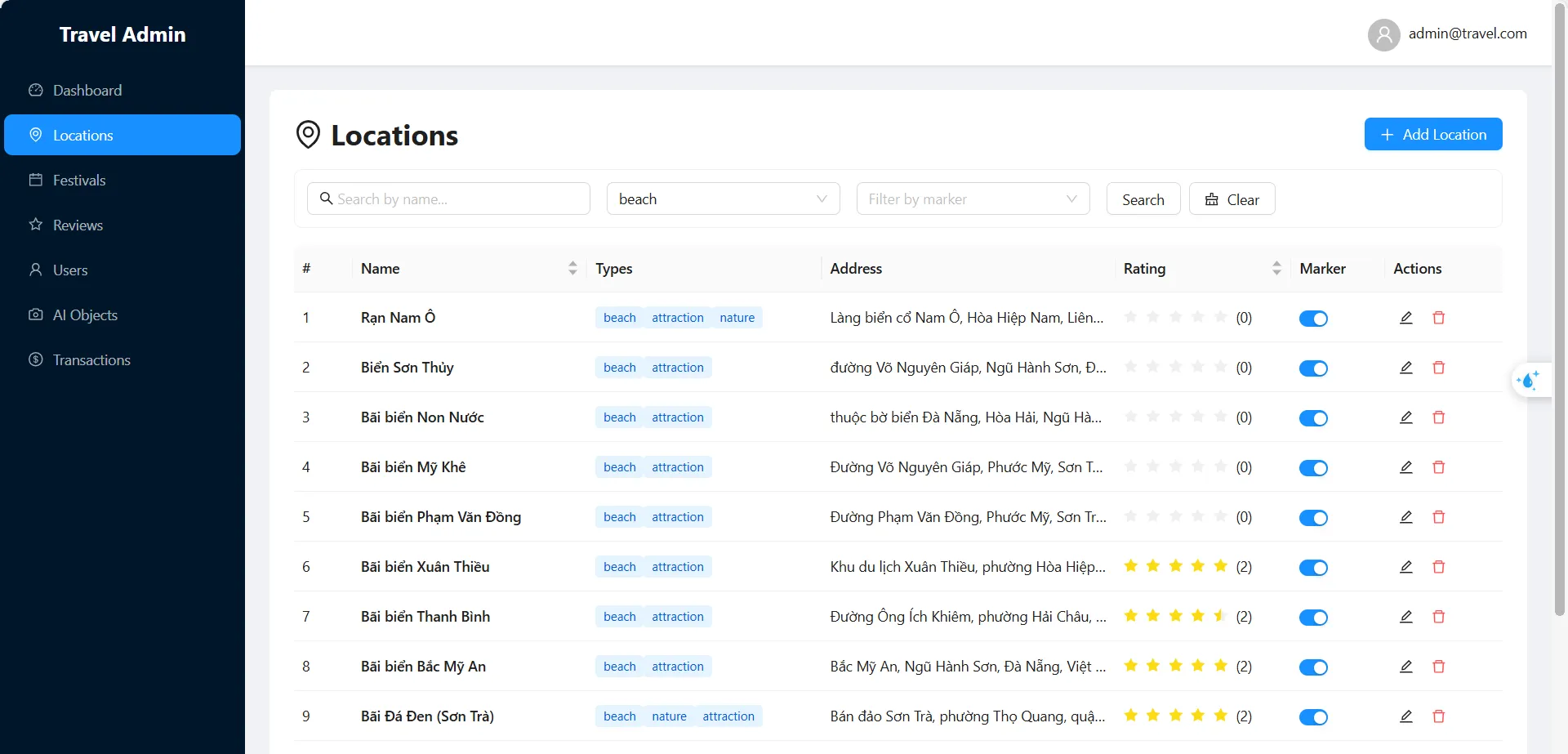
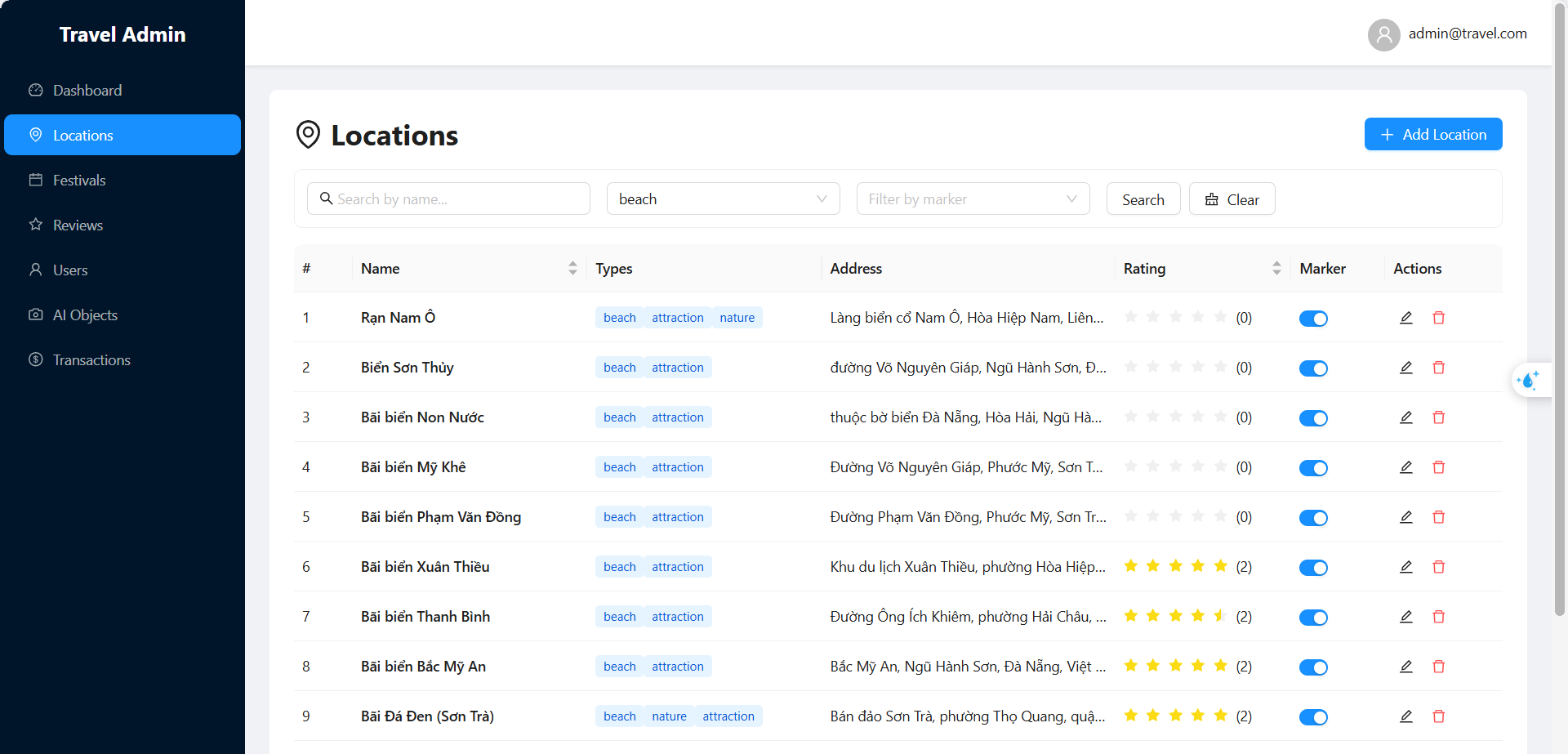
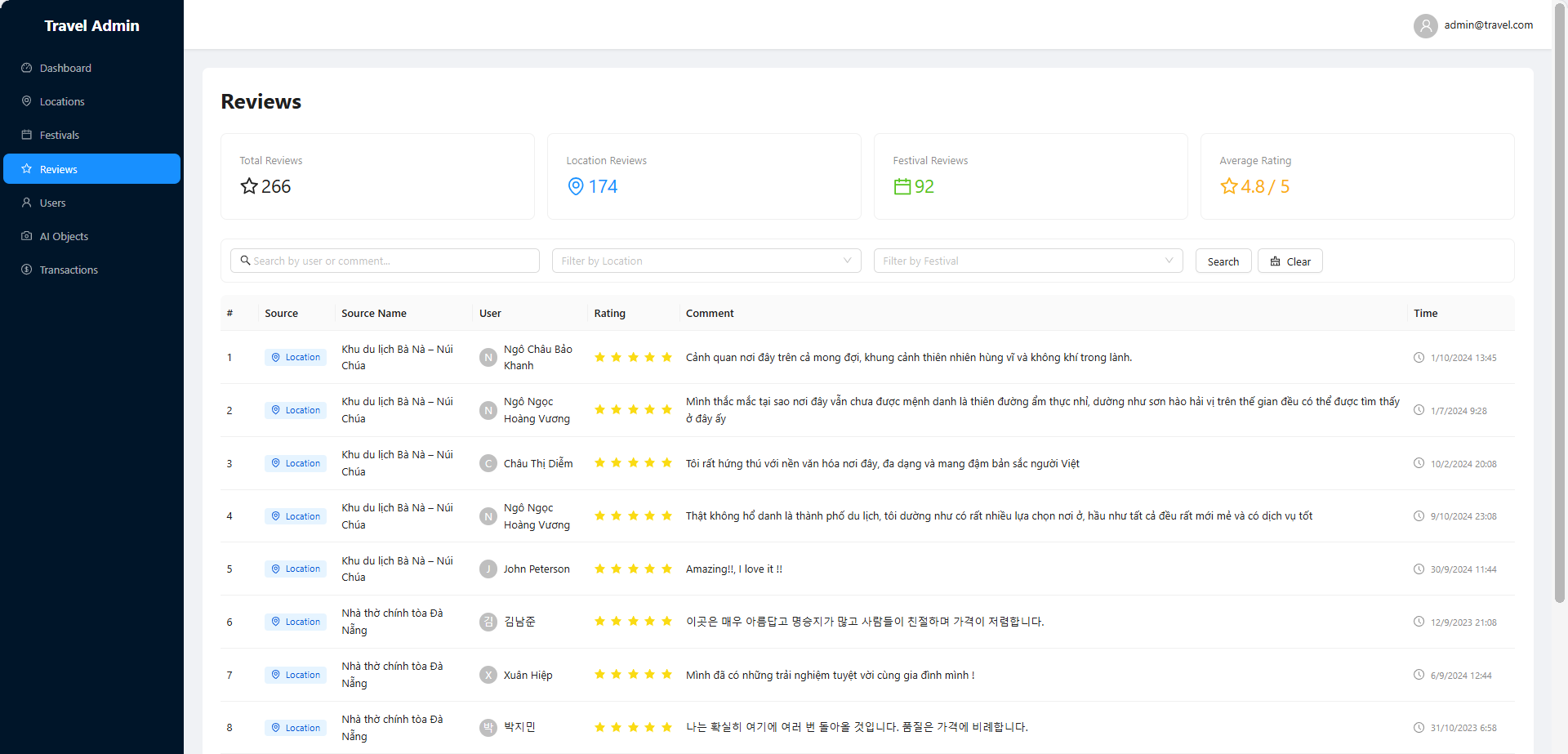
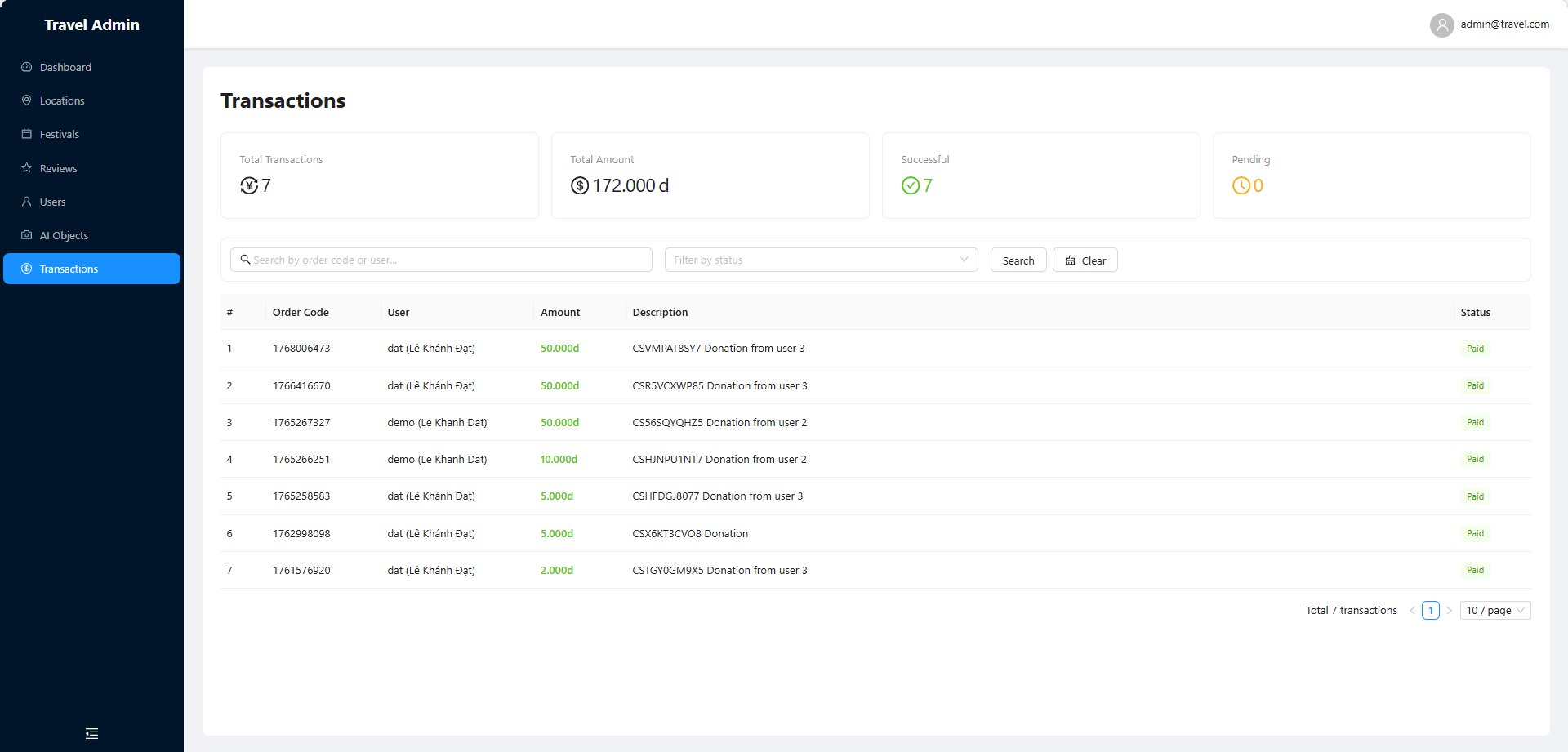
React and Ant Design dashboard for managing places, festivals, users, reviews and transactions.
02
Mobile app
React Native app for visitors — discovery, maps, an AI camera, a chat assistant and donations.
03
APIs & AI services
An Express API for the dashboard and FastAPI services for semantic search, RAG and image recognition.
Context & problem
Started as my graduation thesis at VKU; I still develop and maintain it.
Da Nang recorded nearly 9.3 million visitor stays in the first ten months of 2024 (Da Nang Newspaper, citing the Da Nang Statistics Office). Visitors juggle many apps for places, events and directions, get little cultural context, and face language barriers. This project puts it all in one product: a mobile app for visitors and a web dashboard for the people who curate its content.
Solution & ecosystem
Both apps share one curated dataset of places, festivals and cultural objects. A FastAPI service handles semantic search, the chat assistant, image recognition and payments; an Express API serves the dashboard.
Web admin dashboard
React, TypeScript and Ant Design.
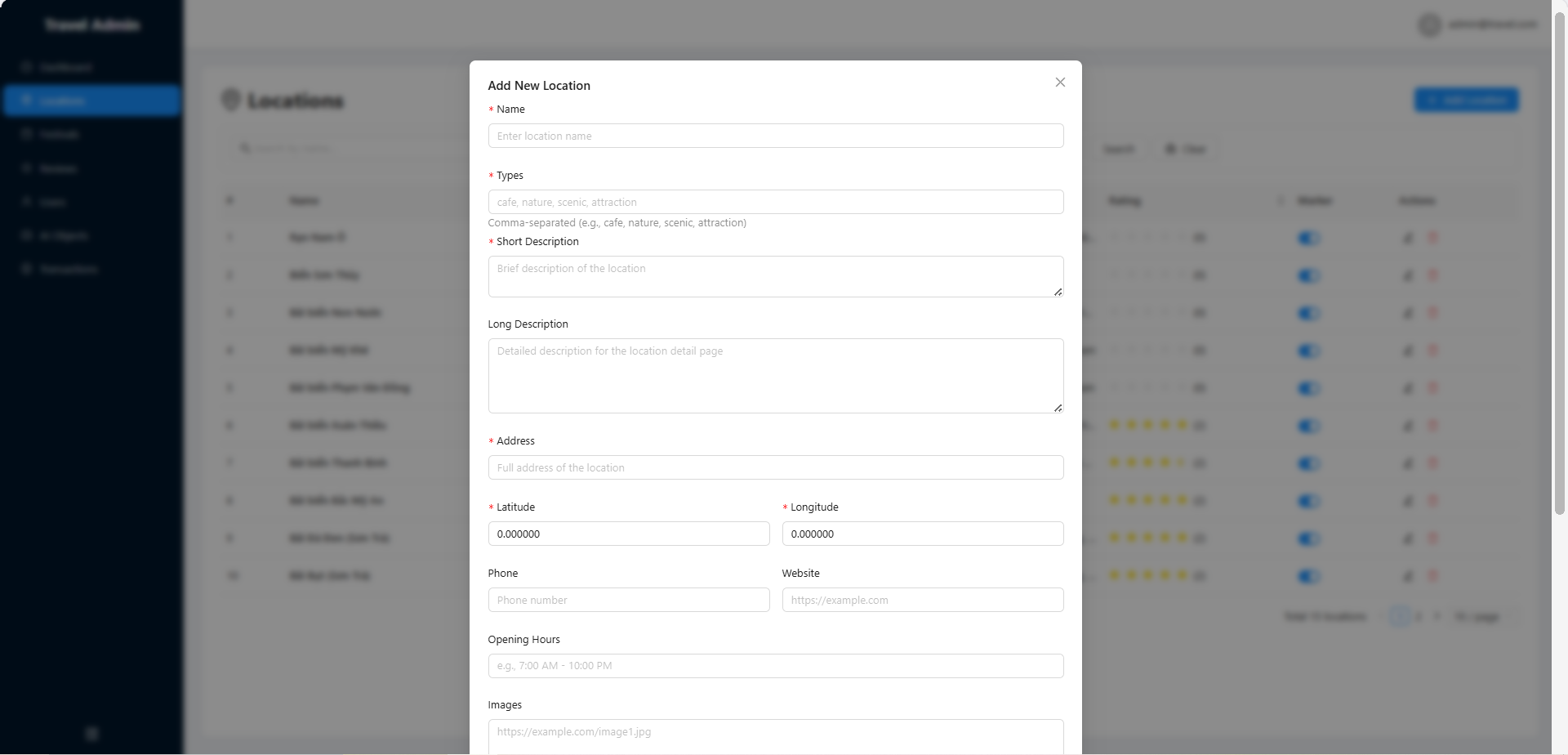
- CRUD for locations, festivals, cultural objects, users, reviews and transactions, with summary statistics.
- Tables with server-side pagination, search, filtering and sorting.
- Modal forms, delete confirmations and visibility toggles.
- JWT auth with an admin role; Express API with rate limiting and security headers.
- Retries with exponential backoff and staggered loading to stay within rate limits.
Mobile app
React Native and TypeScript.
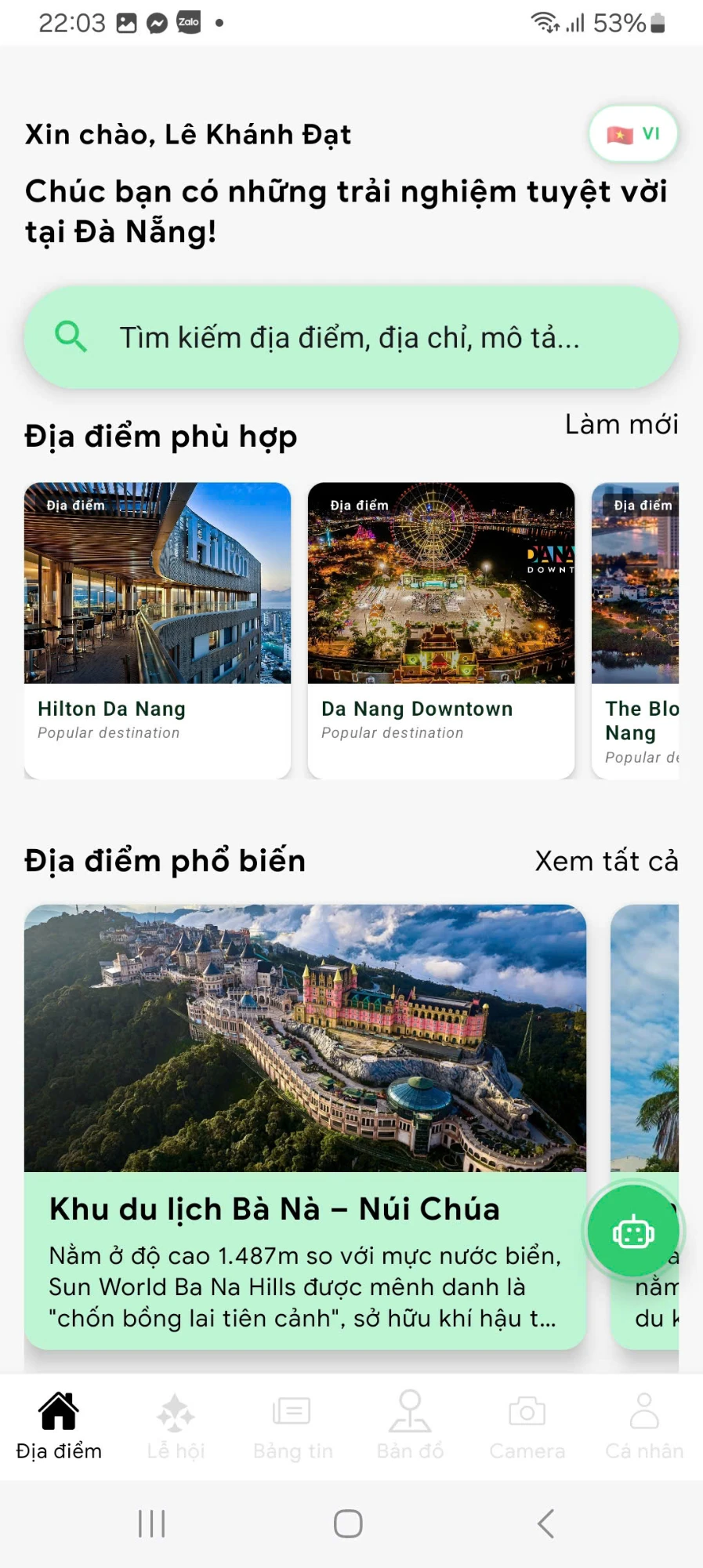
- Discover: places, festivals, reviews and historical objects, with recommendations.
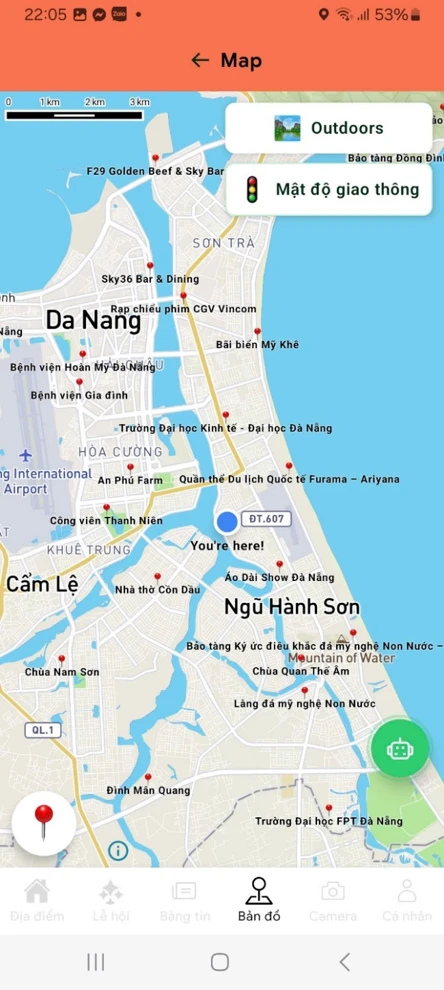
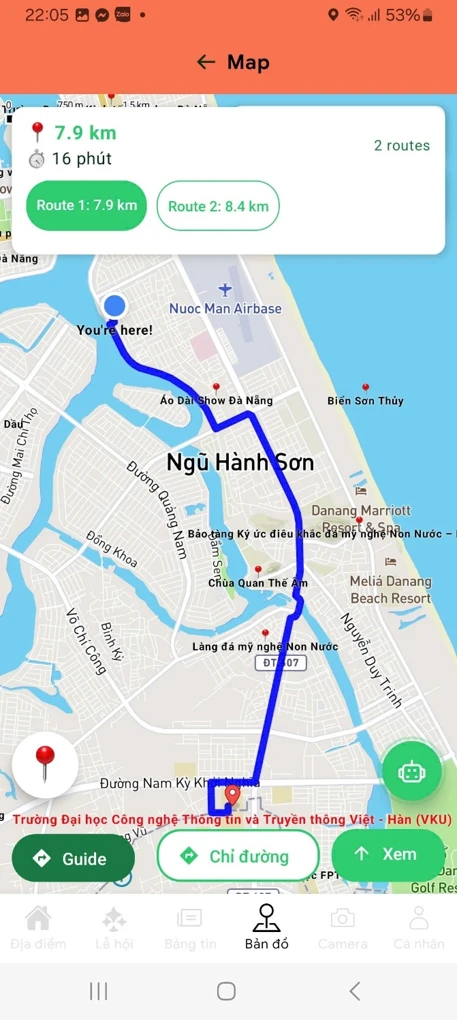
- Navigate: Mapbox with GPS, turn-by-turn and voice navigation, route alternatives, traffic and clustering.
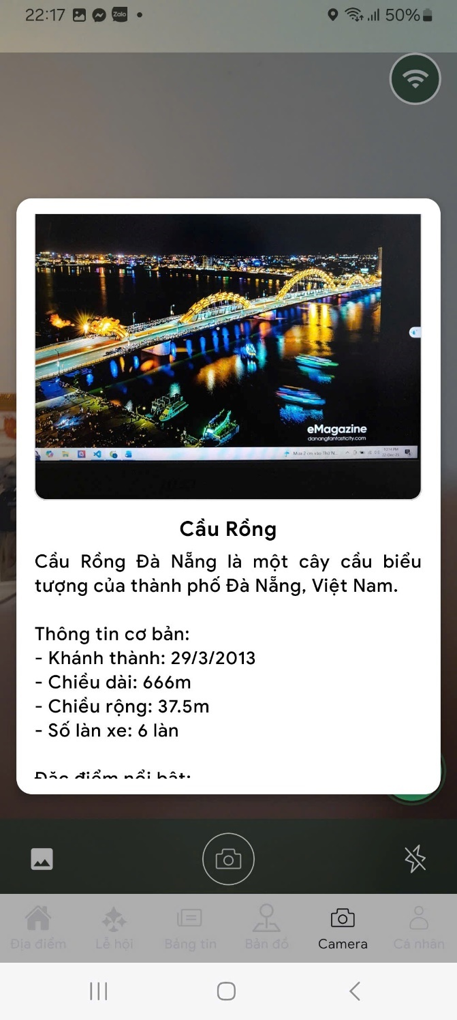
- Recognize: an AI camera that identifies landmarks from a photo.
- Ask: a chat assistant that accepts images and renders markdown with quick replies.
- Festivals & news: filters, calendar reminders, favorites and sharing.
- Multilingual: Vietnamese and English, with Azure Translator and cached translations.
- Donate: PayOS QR donations with transaction history.
Semantic search
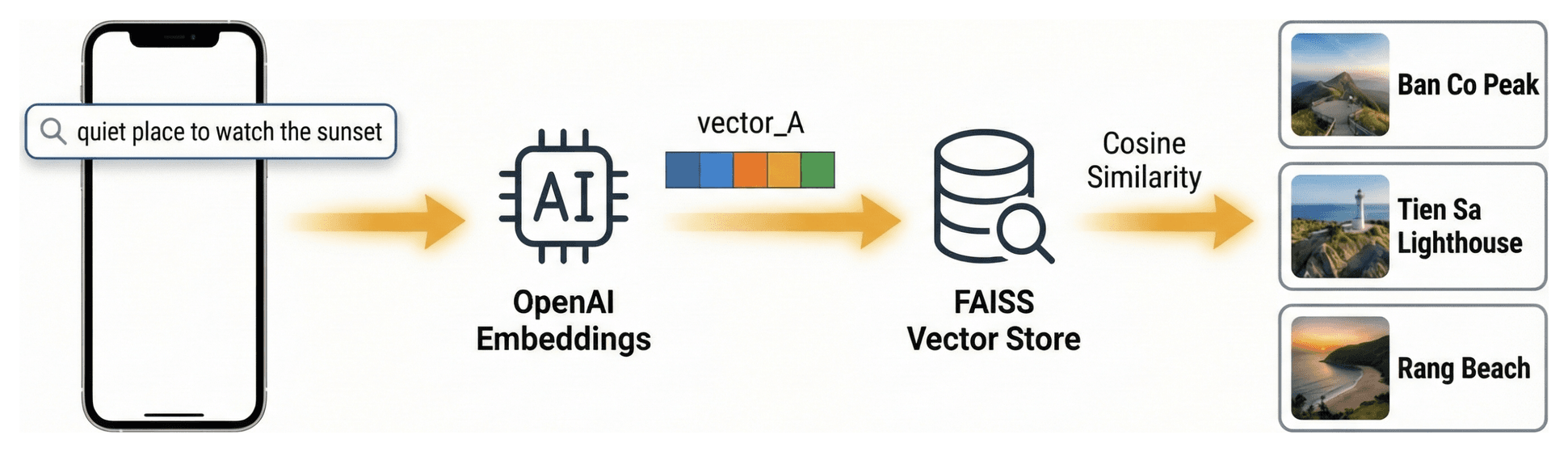
Diagram · Semantic search — from my thesis presentation
Query
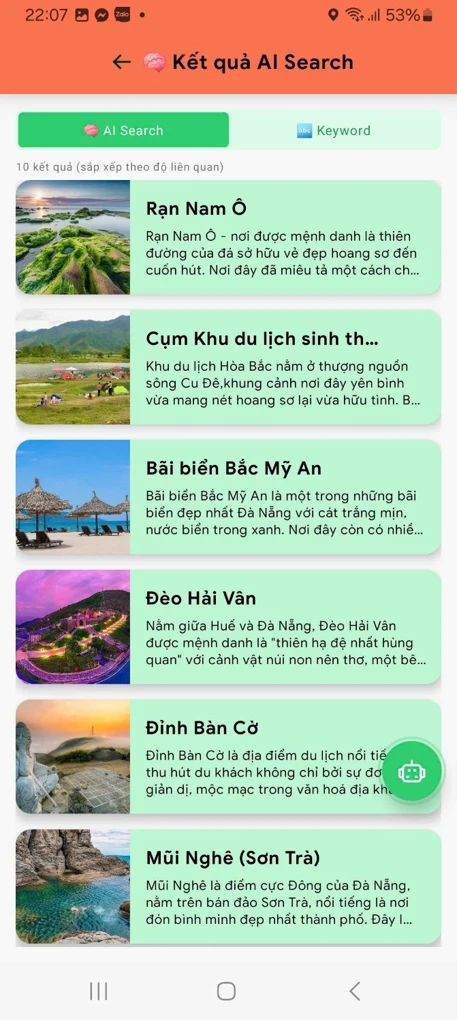
The visitor types a natural-language query in AI search mode.
Embed
The backend embeds the query with OpenAI text-embedding-3-small.
Retrieve
A FAISS index returns the closest places, festivals and objects by cosine similarity.
Rank in the UI
The app shows results above a similarity threshold, or the best matches when none pass it.
Empty results, errors or a disabled AI feature fall back to keyword search on the device.
RAG chatbot
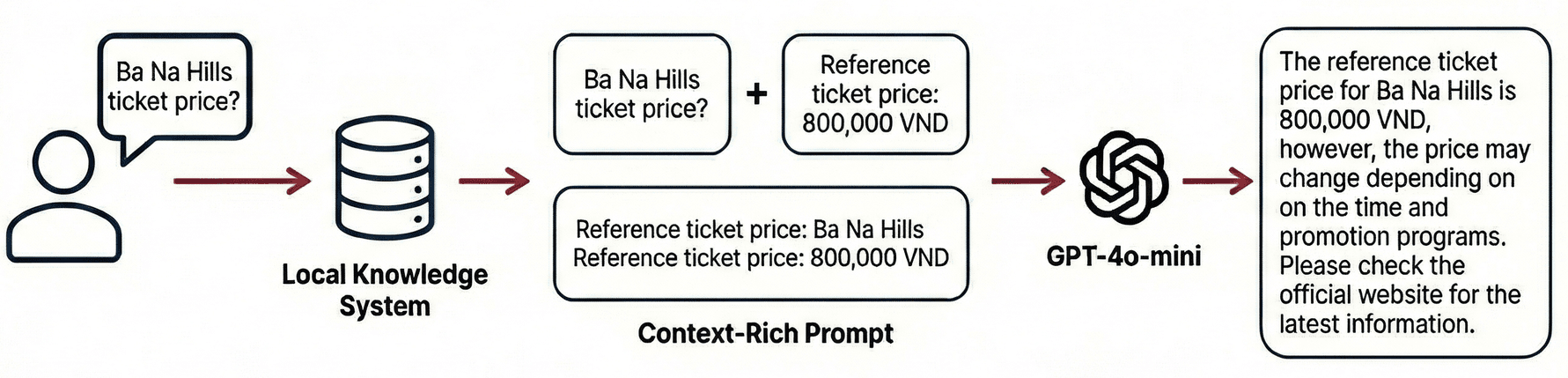
Diagram · RAG chatbot — from my thesis presentation
Message
The visitor asks a question in the chat.
Retrieve
The top semantic matches from curated data, the visitor’s saved preferences and the latest turns of the conversation.
Augment
The retrieved context goes into the prompt, with an instruction to answer only from it and to say when it does not know.
Generate
GPT-4o-mini writes the answer, with sources and suggested actions.
Grounding answers in curated local data reduces hallucinations.
AI-powered object recognition camera

Diagram · AI camera — from my thesis presentation; the steps below describe the current implementation
Capture
The visitor takes or picks a photo and confirms it in a preview.
Upload
The app uploads the image with a client-side timeout.
Visual search
Google Lens (through SerpAPI) finds visually similar images.
Identify
GPT-4o-mini extracts the landmark name from the results and matches it to curated objects.
Describe
The description comes from the database first, then a local list, then the model as a last resort.
Architecture
At launch, four layers:
- Clients: React Native mobile app and React admin dashboard.
- APIs: FastAPI (Python) for search, chat, image recognition and payments; Express (Node.js) for the dashboard.
- Data: NocoDB for content, users and transactions; FAISS indexes for semantic search.
- External services: OpenAI, Mapbox, PayOS, SerpAPI, SendGrid and Azure Translator.
Now, migrating to Google Cloud Run with Neon PostgreSQL. The core catalog API already runs there; AI, payment and account features return step by step behind feature flags.
Engineering decisions
- Plan for slow AI calls: client timeouts, loading states and retries.
- Control cost and accuracy: similarity thresholds, curated data before the model, cached translations.
- Degrade gracefully: keyword search fallback and feature flags during the migration.
- Keep the dashboard fast: server-side filtering, backoff retries and staggered requests.
- Translate data, not only the UI: pre-translated content plus cached runtime translation.
Challenges & lessons
Keeping the search index in sync
- Problem: search returned duplicates, stale matches and sometimes nothing. The indexing script appended embeddings instead of replacing them, and a parameter name differed between app and API.
- Fix: rebuilt the indexes from scratch and checked their size, added a startup rebuild for missing indexes, and aligned the request contract.
- Lesson: a vector index is derived data — rebuild it from the source and keep the client–API contract typed.
Working within the data backend’s limits
- Problem: the no-code database returned at most 100 records per page, so some places never reached the app; the dashboard hit rate limits with parallel heavy requests.
- Fix: full pagination, a short-lived device cache, API rate limiting and timeouts, backoff retries and staggered loading.
- Lesson: learn a data source’s limits first, and make clients retry, back off and spread requests.
Making slow, paid AI calls dependable
- Problem: image recognition chains an upload, a visual search and two model calls, so it can be slow or fail on weak connections.
- Fix: a preview before upload, a server connection check, longer timeouts and fallbacks at every stage.
- Lesson: design around latency and failure, and pay for an API call only when cheaper data cannot answer.
Moving to new infrastructure
- Problem: after a pause, the original hosting and data store had to be replaced.
- Fix: migrated to Neon PostgreSQL and Cloud Run in small, checked phases; the app returned in a read-only core mode, with spending limits set before the first deploy.
- Lesson: migrate in verifiable steps, keep a working core, and set cost limits before going live.
What I’d improve
- Move every AI and third-party call behind the backend.
- Consolidate authentication in the backend.
- Finish the migration and add tests for the AI workflows.
Gallery: web admin dashboard
Select a screen to open it at full size.
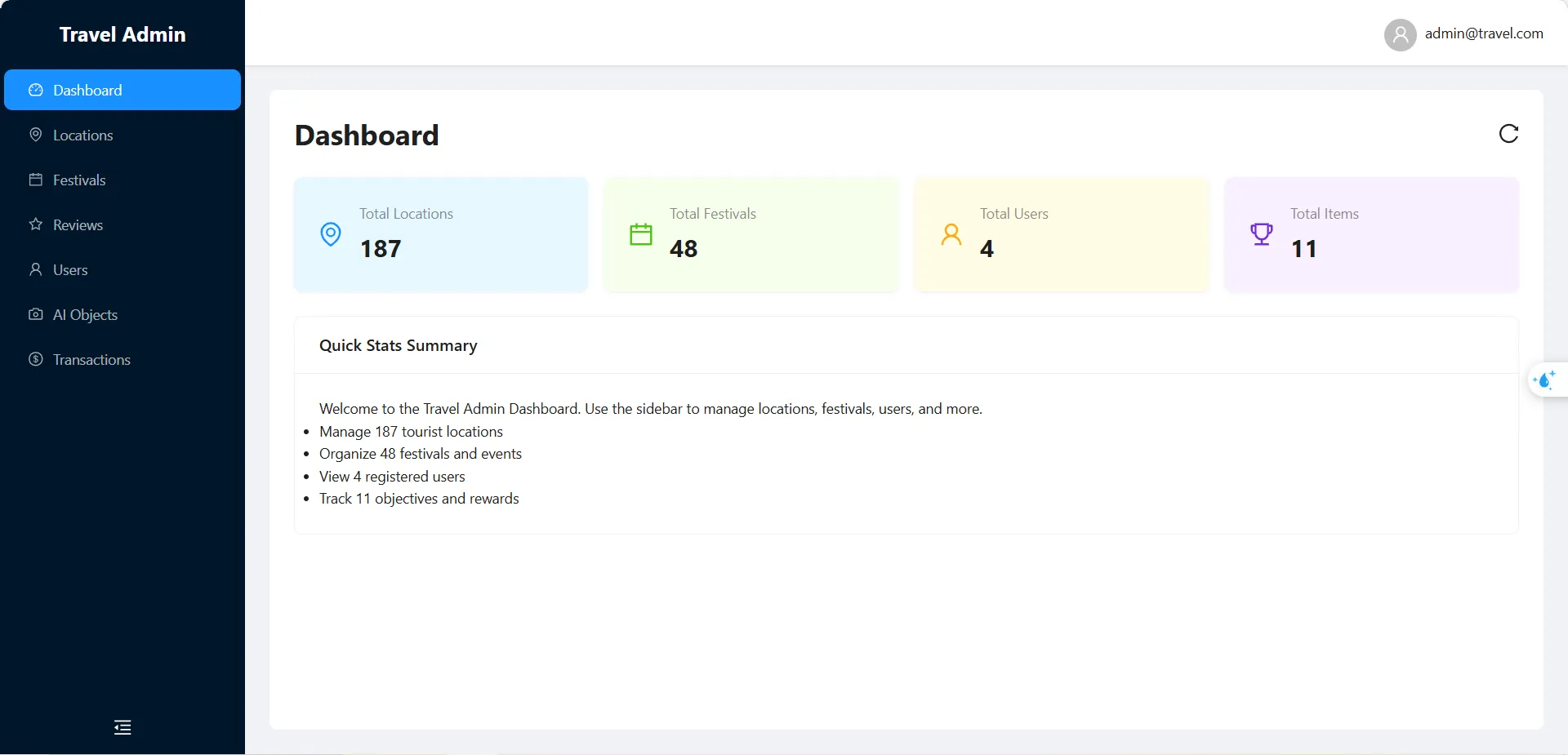 (opens full size in a new tab)
Dashboard — overview - (opens full size in a new tab)
Locations — filtered by type 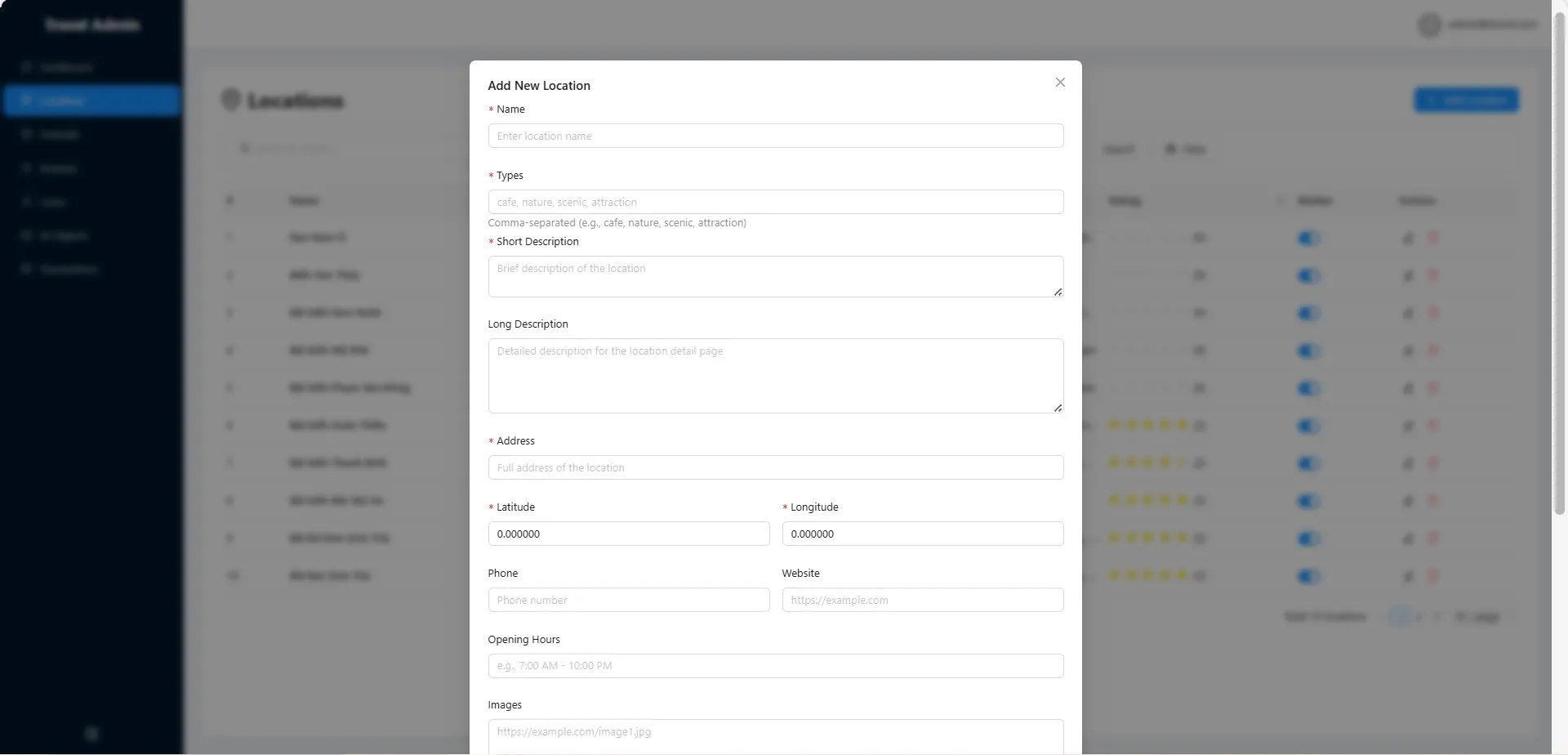 (opens full size in a new tab)
Location form 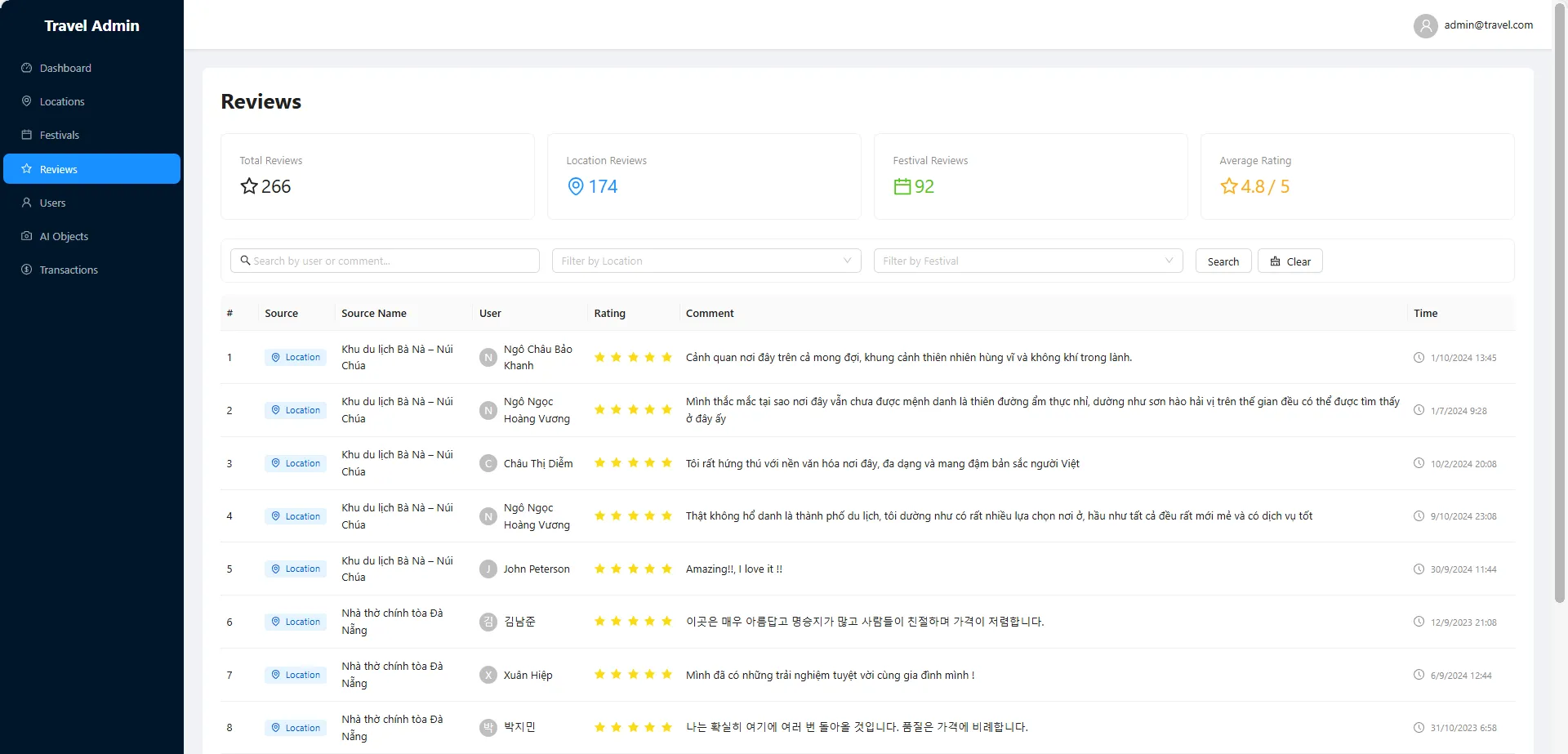 (opens full size in a new tab)
Reviews 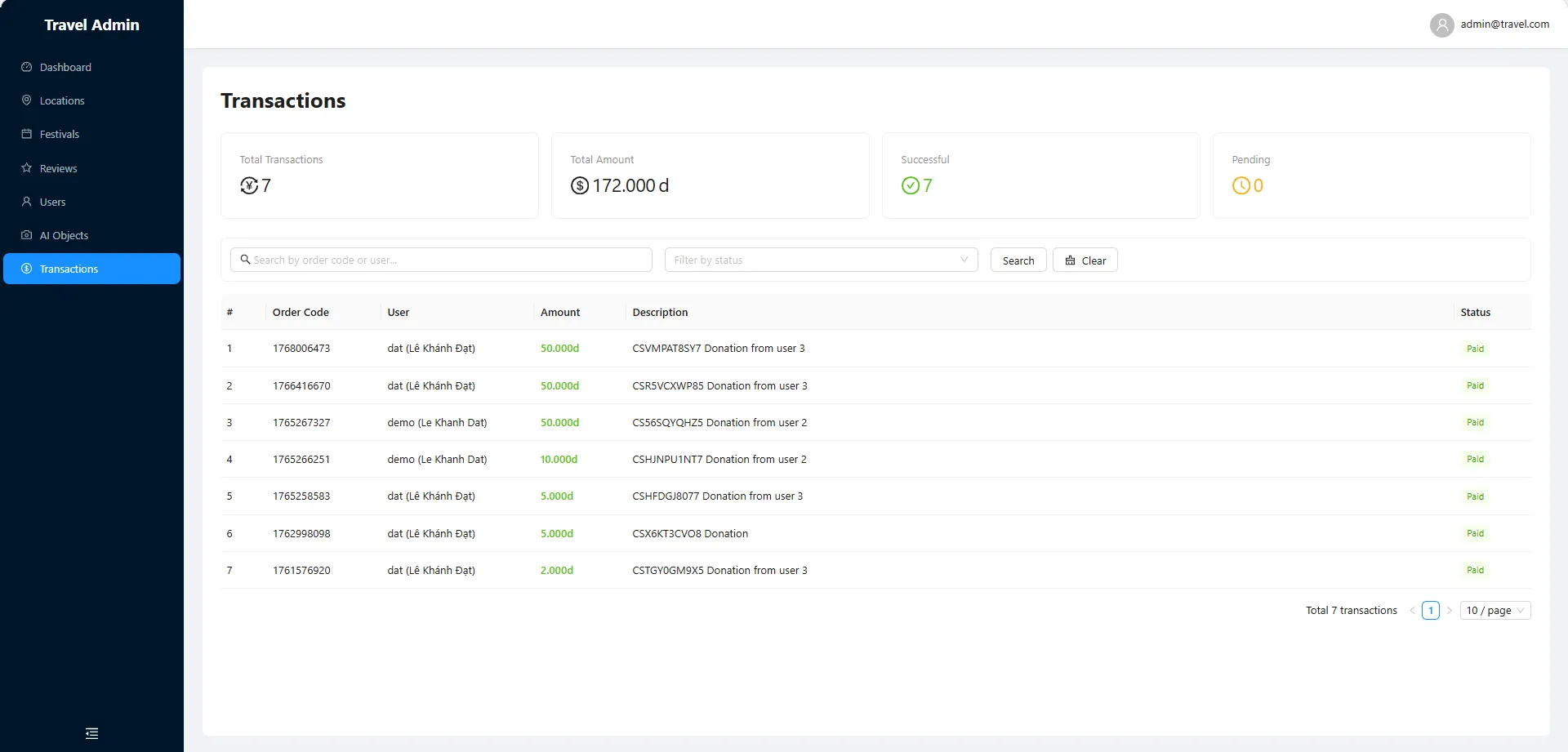 (opens full size in a new tab)
Transactions
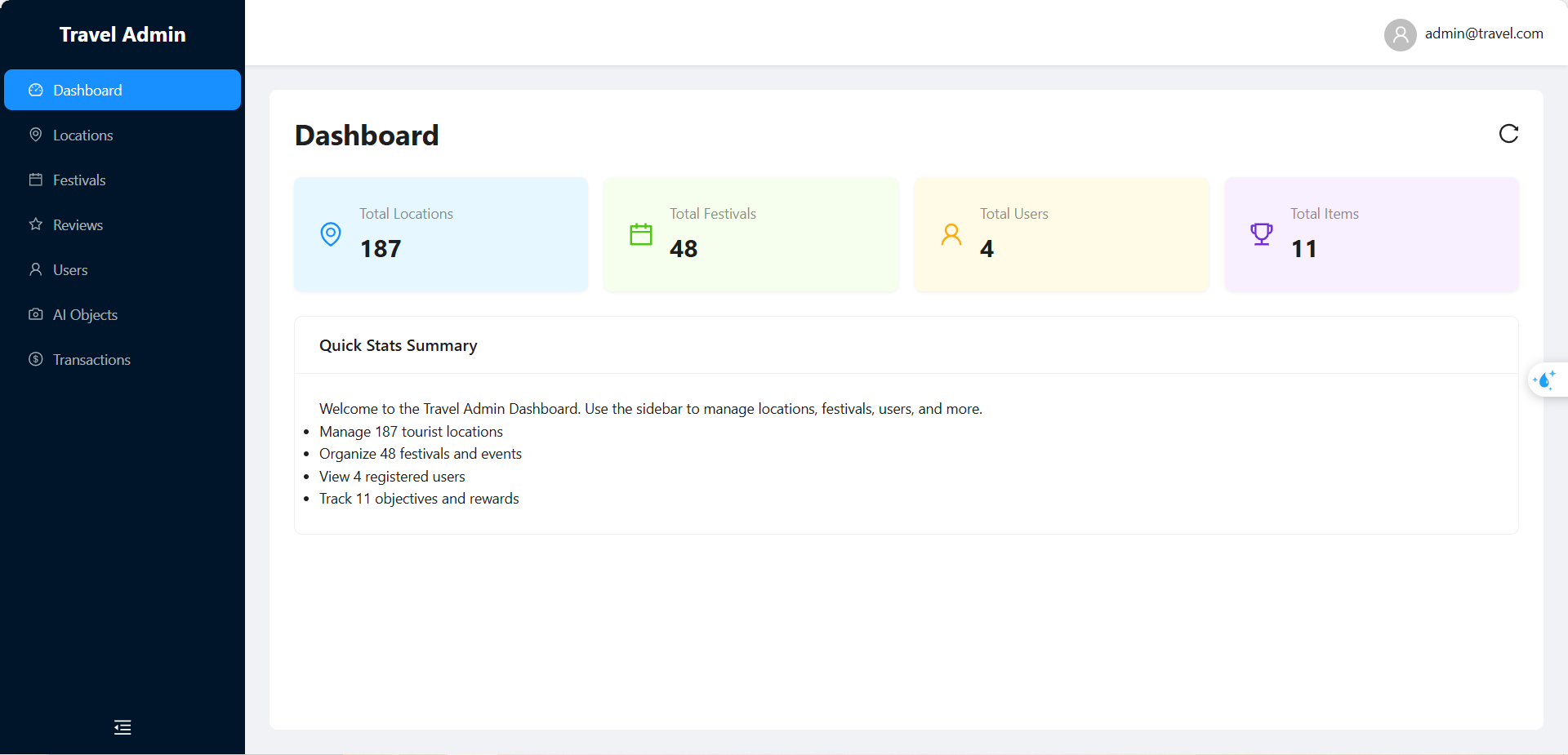
Gallery: mobile app
Select a screen to open it at full size.
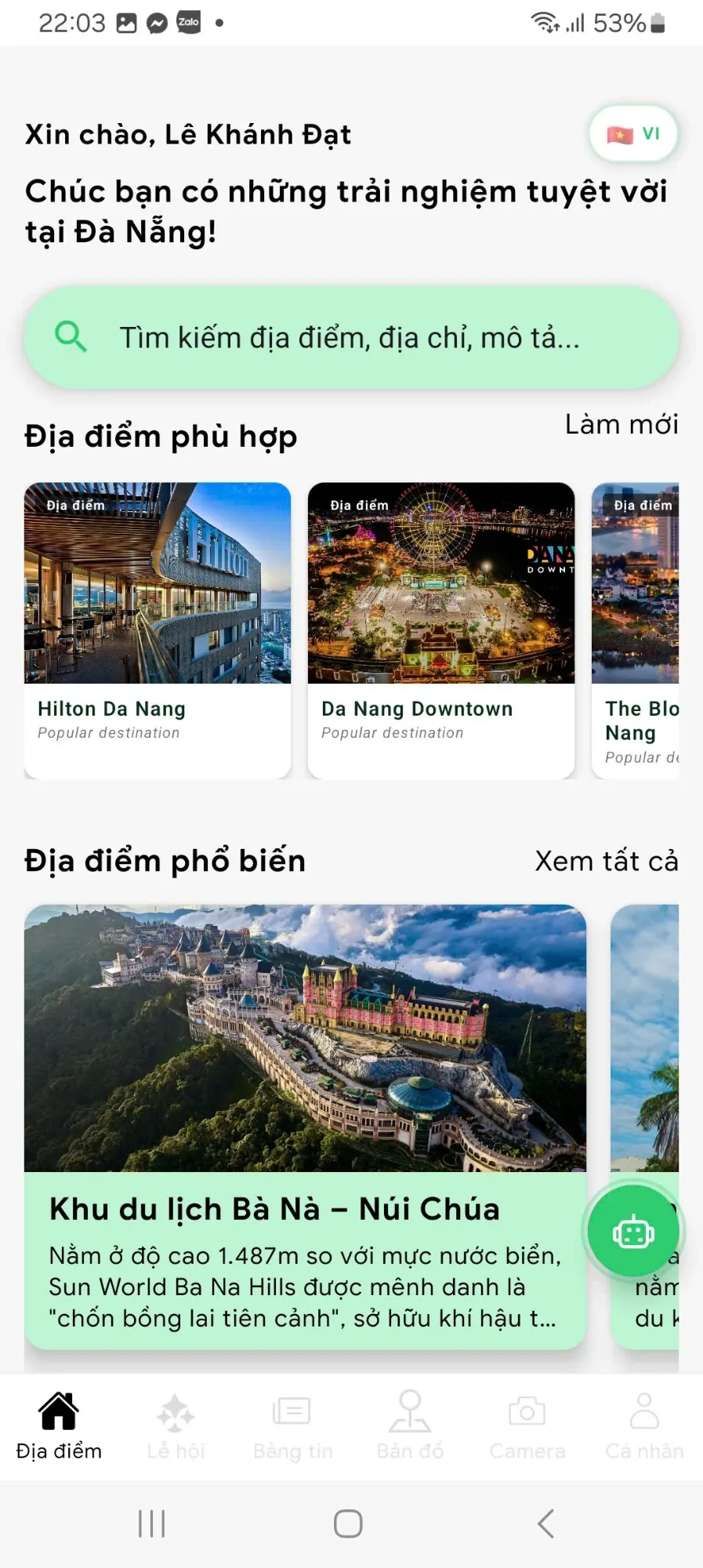 (opens full size in a new tab)
Home 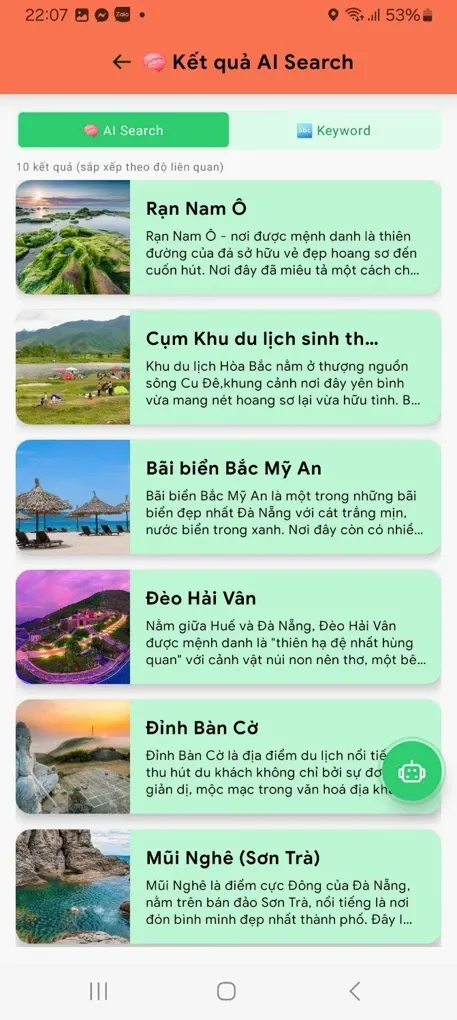 (opens full size in a new tab)
AI search results 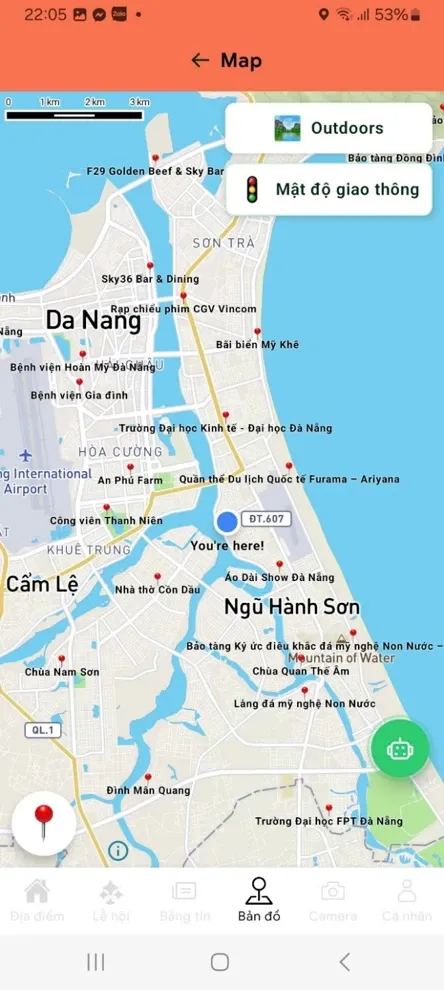 (opens full size in a new tab)
Map 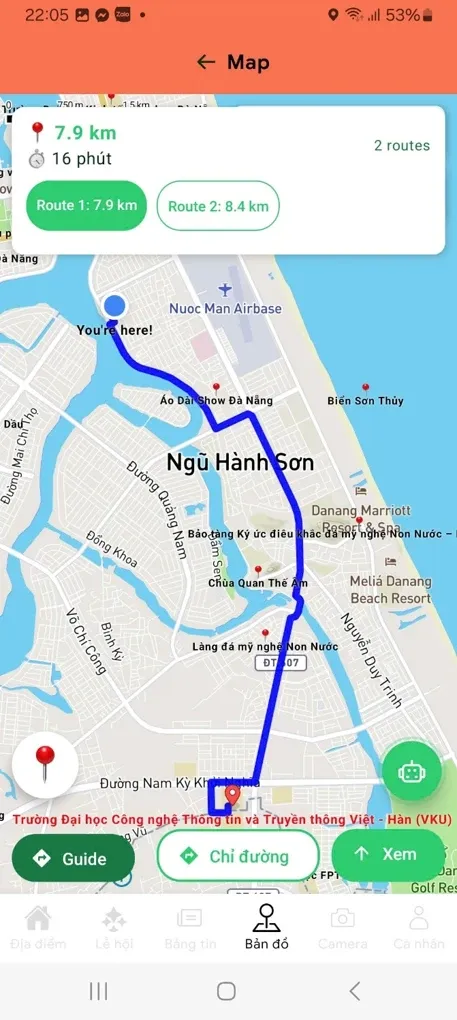 (opens full size in a new tab)
Route 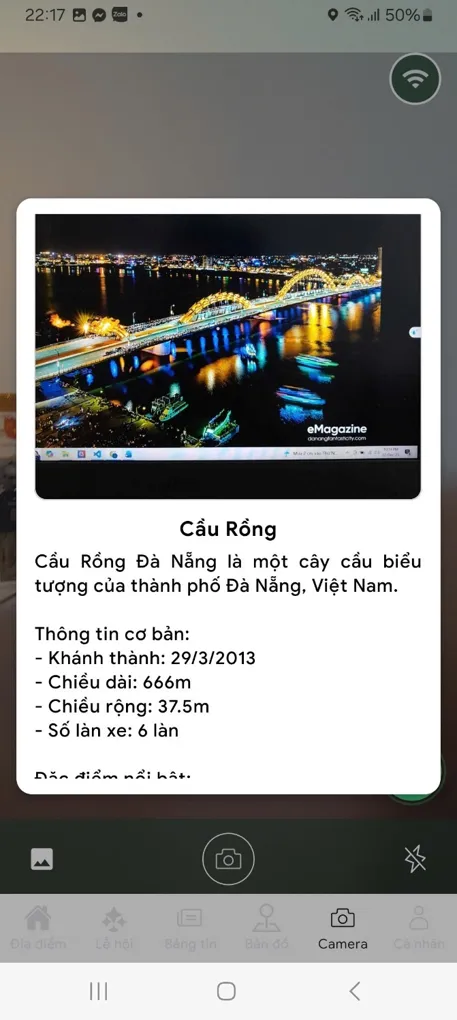 (opens full size in a new tab)
AI camera result  (opens full size in a new tab)
Chat assistant

Links
Live dashboard · Admin login required